The setup guide
The Unhurried setup guide on switchcasestudio.com walks through each step, from install to a finished site. Some links in the guide are affiliate links, which pay the studio a little if you buy through them.
Unhurried for WordPress
All of it comes with the free download: the looks, the patterns, the templates, and a checklist that makes your pages.

Counted
Version 1.2.1. The free theme is complete on its own; Unhurried Pro adds the shop.
About page; Contact page; Homepage; Policy page; Pricing page; Service group page; Service page; Services page; Topics directory; Visit page; Work page
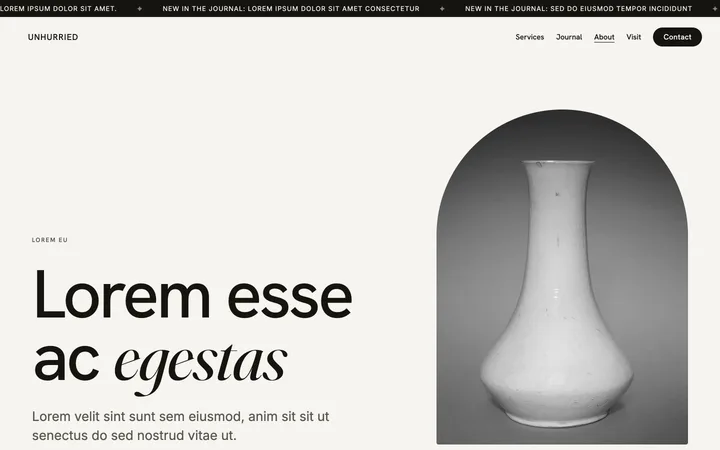
Hero, framed picture; Hero, spiral; Hero, split with arched image; Hero, staggered type; Hero, statue; Hero, type on a photograph; Hero, type on a photograph (contact); Page head with breadcrumbs
Header, centered title; Header, quiet; Marquee
Footer with visit details; Footer with wordmark; Footer, quiet
Statement on image, with note card; Story rows
Call to action, image and card; Gift card; Newsletter, Ink band
Contact details and note card; Map and directions; Opening hours card
Staggered gallery
Journal toolbar; Latest journal notes; Posts grid
Pages under this page; Pricing tiers; Services index rows; Services on image, accordion
Team feature
Testimonial panel
Names strip; Numbers; Process panel; Questions and answers; Text, essay
Page: 404; All Archives; Blog Home; Index; Canvas (no title); Ground artboard (no title); Pages; Search Results; Single Posts
Parts: Header; Footer
Details
The parts you only notice when they are missing.
Write an italic word inside any heading and it turns into Fraunces, the theme's accent face. No setting to find.
Eyebrow and Statement paragraphs, Hairline and Text link buttons, and Arch and Keep color images.
With Contact Form 7 or WPForms Lite active, your first form appears in the card on the Contact page by itself, in the theme's look.
With the free Newsletter plugin, its form appears in the footer and in the Newsletter band, with no setup.
A Policy page pattern for your Privacy, Terms and Returns pages. The footer links each one once it is published.
Every text pair in every look passes WCAG AA, dark looks included.
Install
From a fresh WordPress to your first page, without leaving the dashboard.
In WordPress, open Appearance, then Themes, and add a new theme. Search for Unhurried, then choose Install and Activate.
Open Appearance, About Unhurried. Its setup checklist shows what is done and what is left, with one button per step. Each page opens ready-made; you review and publish it.
Open the Site Editor and its Styles, and pick one of the 20 looks. Every page changes with it.
Help
The Unhurried setup guide on switchcasestudio.com walks through each step, from install to a finished site. Some links in the guide are affiliate links, which pay the studio a little if you buy through them.
Questions about the free theme go to its support forum on WordPress.org. Unhurried Pro and Unhurried Pro, Unlimited include help by email at hello@switchcasestudio.com.
Good to know
Selling too?